
How to Automate Your WooCommerce Reports and Save 6 Hours Every Week
Stop wasting time on manual spreadsheets. Learn how Sync Sutra automates your WooCommerce reports and helps you spend more time growing your business.
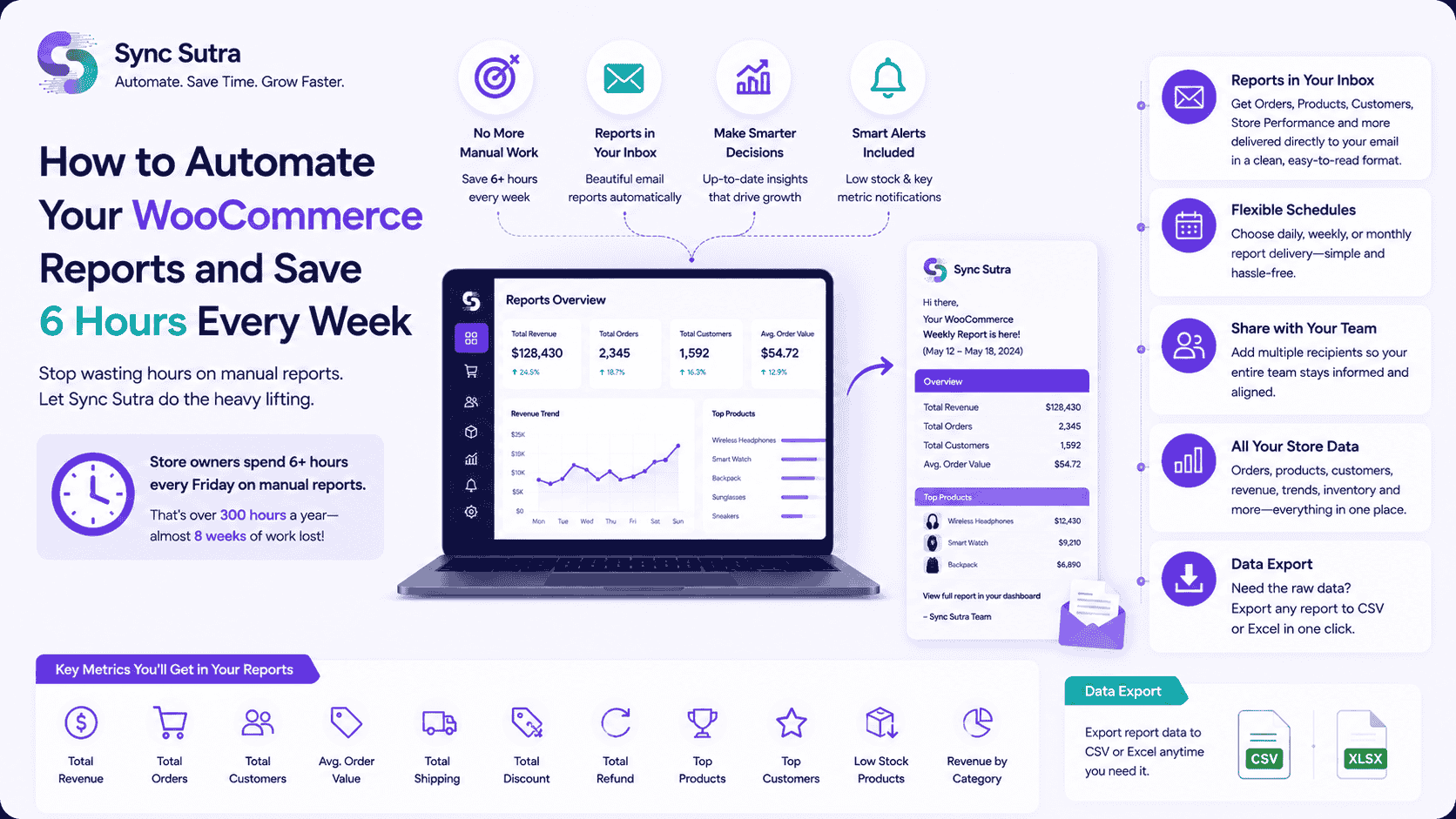
Let's be honest—manual reporting is a drag. You export data from WooCommerce, paste it into spreadsheets, format everything, and send it off. Then you do it all over again next week.
It's not just time-consuming; it's frustrating and error-prone. Here's how Sync Sutra automates your WooCommerce reports and helps you reclaim your time.
The Hidden Cost of Manual Reporting
Manual reporting costs more than just time:
Human Error
One wrong formula or misplaced decimal breaks your entire report
Delayed Decisions
Your team waits for reports to make important business decisions
Missed Opportunities
Stale data means you miss trends and opportunities in real-time
Demoralized Team
Repetitive, manual tasks kill motivation and productivity
Store owners spend 6+ hours every Friday on manual reports.
That's over 300 hours a year—almost 8 weeks of work lost!
What Reports Should You Automate?
Sync Sutra automates the reports that matter most to your business:
Revenue Reports
Get revenue summaries with orders, refunds, and growth metrics automatically
Product Performance
Know your best sellers and slow movers instantly
Customer Insights
Track acquisition, retention, and lifetime value trends automatically
Inventory Reports
Never run out of stock with automated low-stock and out-of-stock alerts
Store Performance
Get detailed performance reports with all key metrics in one place
How Sync Sutra Automates Your Reports
Auto-Export to Your Inbox
Get Orders, Products, Customers, and Store Performance reports delivered directly to your email in CSV or Excel format
Custom Schedules
Choose daily, weekly, or monthly frequencies—or set custom intervals that work for your business
Share with Your Team
Add multiple recipients so your entire team stays informed and aligned
All Your Store Data
Orders, products, customers, revenue, trends, and more—everything you need in one place
No Code Required
Set up automated reports in minutes with zero technical skills—just connect your store and choose your preferences
Key Metrics You Get in Your Reports
Sync Sutra automatically calculates these essential metrics for you:
💡 Pro Tips for Reporting Automation
Start with Daily Reports
Begin with daily revenue and order summaries, then add more as you grow
Review and Refine
Update your report frequency and metrics based on changing business needs
Share Insights Proactively
Reports are most valuable when your team acts on them—make it a habit
Set Performance Alerts
Get notified when key metrics hit important thresholds like low stock levels
Common Mistakes to Avoid
Too Much Data Overload
Don't overwhelm yourself—focus on the metrics that actually matter to your business
Inconsistent Schedules
Set regular delivery times so you always know when to expect your reports
No Action Plan
Reports should drive decisions—review them with your team and take action
Over-Reliance on Automation
Balance automated reports with human insight and strategic thinking
Ready to Simplify Your WooCommerce Analytics?
Connect your stores in minutes and get instant insights.
Start Your Free Trial